AI video editing for Reels, Shorts and TikTok
You don’t need
to know how to edit
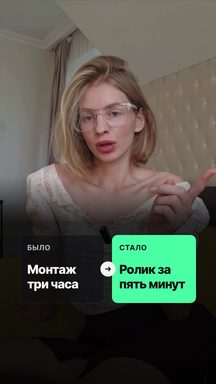
Upload raw footage from your phone. AI cuts the pauses and retakes, adds word-by-word captions and graphics that follow what you say. All that’s left is to download and post.
Videos up to 5 minutes with sound, vertical works best
Editing without an editor
No editing skills needed
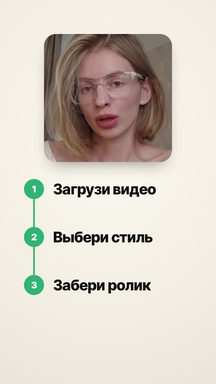
No timelines, keyframes or fonts. Pick a style, upload the video, get a finished clip.
- ≈ 6 minper minute of videoyou can close the tab
No need to watch the screen
The edit runs on our server. Close the tab and get on with your day — the video shows up in your dashboard.
- 0:12 — remove the chart here
Changes in plain words
Nothing to cut by hand: type or say “remove the chart here” and the video is rebuilt.
- CardNightShorter
Three variations from one video
Different styles, pace and length. Post all three and keep the one your audience likes.
Changes
Changes in plain words — nothing to cut by hand
Scrub the bar under the video, stop where something should change and type what to change, or say it out loud. A mark lands on the bar and the video is rebuilt from your words.
- Show this number big
- Remove the chart here, keep me in frame
- Add a follow call to action at the end
Try it here: add a change of your own. In the dashboard changes go into a rebuild, which uses 1 video from your balance.
Revise your videoVariations
Three videos from one recording
Tick “3 variations” before the edit: I’ll build three different videos from one recording. Post them all and see which one your audience likes.
1Your style
say, Card with a dynamic pace
2Another theme
different captions, pace, color and sounds
3A third shorter
one more theme, the extra cut out
Three variations take longer than one: come back in an hour, download all three and post.
Each variation uses 1 video from your balance.
Style
Build your style
Theme, captions, font, pace and sounds — play with them and watch the previews. Your style is saved and waits for you in the dashboard.
What kind of video do you have?
Pick one of the options first, then the settings will open up.
Style
Theme
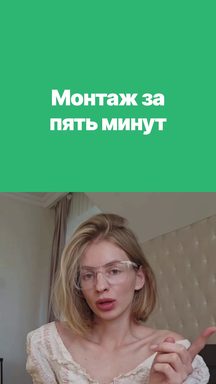
CardA clean presentation: light background, white cards with soft shadows. You usually sit in a card up top with graphics below.
Color
GreenPace
Dynamic- Video
- Pauses are cut tight, from 0.3 s, and the framing changes scale on noticeable cuts.
- Accents
- Every 3–5 seconds: lists and numbers as cards, keyword flashes, notifications, freeze frames.
- Look
- Fast push-ins, something is always happening on screen.
Sounds
Just your voice, no sound effects.
Captions
Effect
ClassicThe font, outline and shadows are part of the style; change the accent color below in Position and look. Text on graphics uses the same font.
Language
I understand speech in Russian, English, Spanish, Portuguese and German, and captions will match the spoken language.
Position and look
Lower thirdTap the phone screen where you want the captions. The dashed frame marks the area that Reels and TikTok buttons don’t cover.
Size
Pricing
Pay per video, not for a subscription. One video is a clip up to 5 minutes long.
- Try it$1.491 videono photos of your own
- Creator$12.9010 videos$1.29 per video · your photos in videos
- Studio$29.9030 videos$1.00 per video · your photos in videos
- Every theme, effect and font
- Word-by-word captions and graphics that follow your speech
- Pauses, retakes and slips cut out
- Unused videos stay valid for 12 months
Card payments open with the public launch.