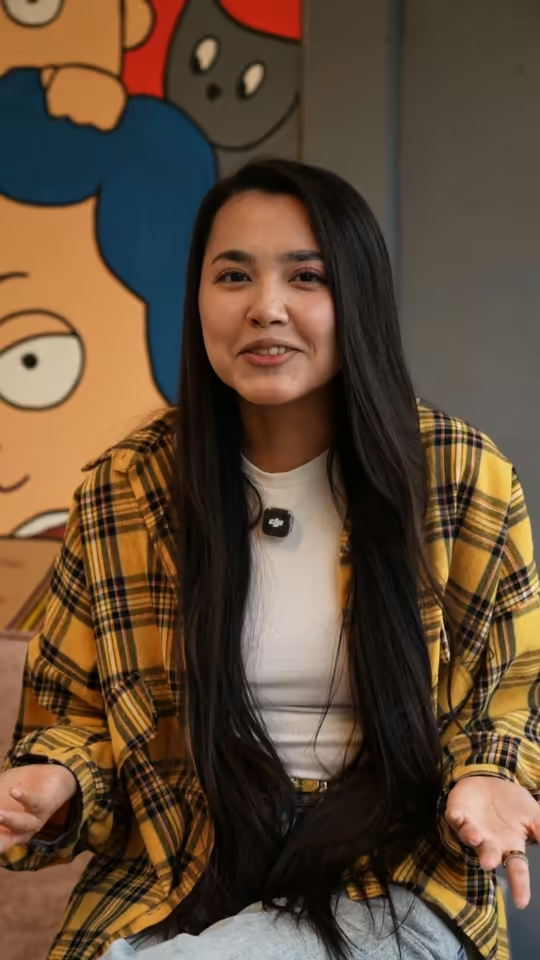
What are CapCut-style captions?
These are captions that don’t sit in a line at the bottom like movie subtitles. They show up one or two large words at a time, just as each word is spoken. The key word stands out in color or size, and the text sits near your face without covering it.
They’re also called word-by-word or one-word captions. The technique isn’t tied to any one editor — what matters is how the text is paced and displayed.
How to make CapCut-style captions with Trendino
Upload your video in “Just captions” mode. Trendino transcribes the speech, splits it into words and adds captions in the style you pick. No timeline needed: Trendino times every word, and each one appears 2 frames before it’s spoken.
If it’s raw footage, choose “Raw footage” and we’ll also cut out pauses, retakes and stumbles. If the video is already edited, choose “Already edited”: Trendino adds captions and effects without cutting anything.
You can choose from 15 styles and 16 fonts. Trendino places the text beside your head, above it or under your chin, and checks every frame to keep the words off your face. Your first video after signing up is free. To learn how transcription works and which languages are supported, see Auto captions for videos.

How to make CapCut-style captions in 3 steps
Choose “Just captions”
This mode adds captions and a few camera moves, with no extra graphics. Upload a video up to 5 minutes long and up to 1 GB.
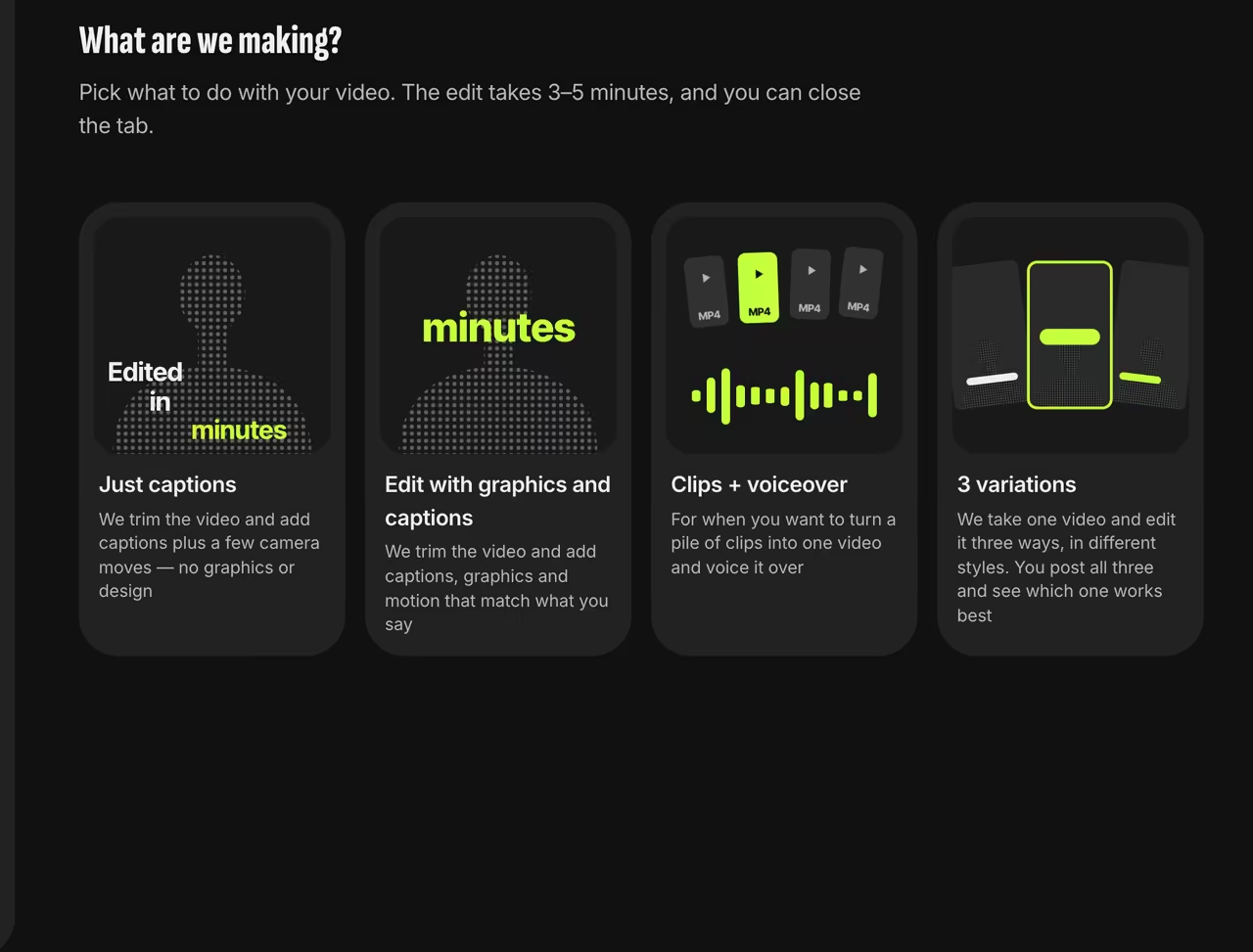
“Just captions” mode Pick a style and font
For the CapCut look, go with “1–2 words”, “Slam” or “Karaoke”. Use any of the 16 fonts or keep the style’s default.
Set the language and start
Select the spoken language, then either keep the captions in that language or translate them. Processing usually takes 3–5 minutes.

How word-by-word captions differ from regular subtitles
Regular subtitles show a full line of text at a time. The BBC’s guidelines target a reading speed of 160–180 words per minute, or 0.33–0.375 seconds per word[1]. Netflix limits a line to 42 characters and reading speed to 20 characters per second[2].
For vertical video, the BBC suggests lines up to 90% of the frame width and gives a rule of thumb: 37 characters on a landscape screen equal about 25 on a vertical one[1]. In the “1–2 words” style, only the one or two words being spoken appear on screen.
Placement matters too. In 2014, BBC R&D researchers placed subtitles next to the speaker instead of at the bottom of the frame. Viewers took a moment longer to find them, but read them faster and spent more time watching the picture[3]. In a 2015 study, people watching with these subtitles looked around the frame more like viewers with no subtitles at all[4].
Word-by-word caption styles
Trendino has 15 styles. These are the closest to the CapCut look:
| Style | What it looks like |
|---|---|
| 1–2 words | One or two large words at a time; some phrases stack up like steps or expand like an accordion |
| Slam | Words fly in one by one and slam into the frame, the key word bigger and in color |
| Karaoke | A line under the chin: every second or third phrase appears as a full line, with each word highlighted as it’s spoken |
| Classic | Words appear one by one as you speak, the key word in color |
| Wheel | Short phrases roll upward: the previous one moves up while the next waits below |
| Neon | One font for the whole phrase, with a neon glow on the key word |
| Poster | Words scatter across the frame, with a huge colored key word and one word set vertically |
How the key word is chosen
In every phrase, Trendino picks the key word based on what you’re saying and highlights it to match the style: in color, bigger or glowing like neon. The key word is enlarged in up to 40% of phrases, with a quick camera punch-in; in the rest, it keeps its size and just changes color.
Want a different word to stand out? Open “Edit video” and tap the word: you can choose “Plain”, “Color” or “Accent”. Editing the text is free; re-rendering the video with your changes uses 1 video credit. To see how the AI decides what matters in your speech, read Edits that follow the story.
By hand on a timeline vs. with Trendino
Making word-by-word captions manually on a timeline means transcribing the speech, splitting phrases into one- or two-word chunks, timing each chunk, picking a font and an animation, and checking that nothing covers your face. A one-minute video means dozens of chunks.
Trendino handles transcription, splitting, timing and placement. You choose the style and font. If the AI mishears a word, turn on “Check before editing” to fix it before the video is made, or correct it afterwards in “Edit video”.
| Step | By hand on a timeline | With Trendino |
|---|---|---|
| Transcript | type or paste the text | speech recognition in 51 languages |
| Splitting | break phrases into 1–2 word chunks | automatic, based on the style |
| Word timing | match each chunk to your voice | each word appears 2 frames before it’s spoken |
| Placement | manually move text off your face | around your head, checked on every frame |
| Fixing a word | find it and edit it on the timeline | tap the word in “Edit video” |
FAQ
Can I make one-word captions?
Yes. The “1–2 words” style shows one or two big words at a time, and “Slam” and “Classic” bring words in one by one.
What styles and fonts are there?
15 styles, from “Classic” and “Karaoke” to “Neon” and “Poster”, and 16 fonts. You can also keep the style’s default font.
What if the AI mishears a word?
Turn on “Check before editing” to review the transcript line by line and fix any errors before the video is made. In a finished video, open “Edit video” and tap the word: editing the text is free, and re-rendering the video with your changes uses 1 video credit.
Which languages are supported?
Speech recognition works in 51 languages. You can keep the captions in the spoken language or translate them into any of the others.
Do I need CapCut or an app?
No. Trendino runs in the browser on your phone or computer, so there’s nothing to install.
Can I add captions to a video that’s already edited?
Yes, choose “Already edited”: nothing gets cut, we just add captions and effects on top.
Will the captions cover my face?
Trendino places text beside your head, under your chin or above it, and checks every frame so the words don’t cover your face.
How long can the video be?
Up to 5 minutes and 1 GB. MP4, MOV, WebM and other formats work.
Do these captions work for Reels, Shorts and TikTok?
Yes. Videos export at 1080×1920, with the text kept inside the safe zone.
How much does it cost?
Your first video after signing up is free. After that, each new video uses 1 video credit from your balance; saving text fixes is free. Prices are on the Pricing page.
Sources
- 1.BBC Subtitle GuidelinesBBC
- 2.English (USA) Timed Text Style GuideNetflix Partner Help Center
- 3.TVX2014 Short Paper — Enhancing SubtitlesBBC R&D, October 22, 2014
- 4.Dynamic Subtitles: the User ExperienceA. Brown et al., BBC R&D, TVX 2015