
Why captions keep people watching
Captions aren’t just for people watching on mute. Psychologist Morton Ann Gernsbacher reviewed more than 100 studies: same-language captions help children, students and adults understand videos, stay focused and remember what they saw[1].
Platforms have data too. In 2016 Facebook tested video ads in its feed: captioned ones were watched 12% longer on average. And in another study of Facebook video ads, 41% of the videos made little sense without sound[2].
Trendino shows captions word by word, timed to your voice, so viewers can follow along as you talk. If the video is raw, we cut pauses and “um”s before the captions go on — see how in the guide to removing pauses.
How to do it
Pick “Just captions”
This mode skips graphics: we trim the video and add captions and a few zoom-ins.
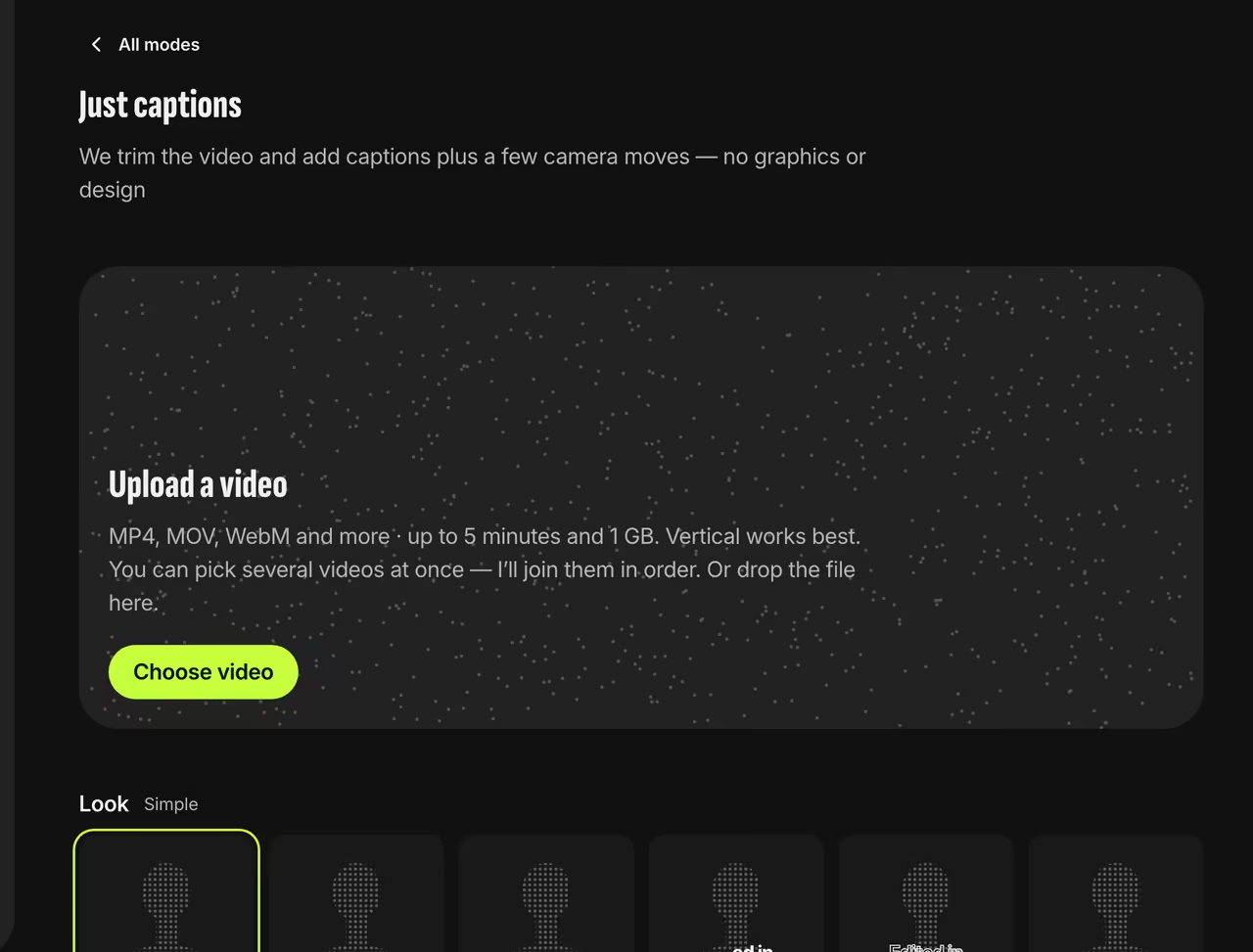
Just captions mode Set the look
Choose an effect (simple, pop, slam, typewriter, karaoke, neon, glass, marker, behind the head, poster, wheel or mix), a placement (best fit, beside the face, under the chin, a bottom strip or 1–2 words at a time) and how each phrase builds: word by word, all at once or accordion.
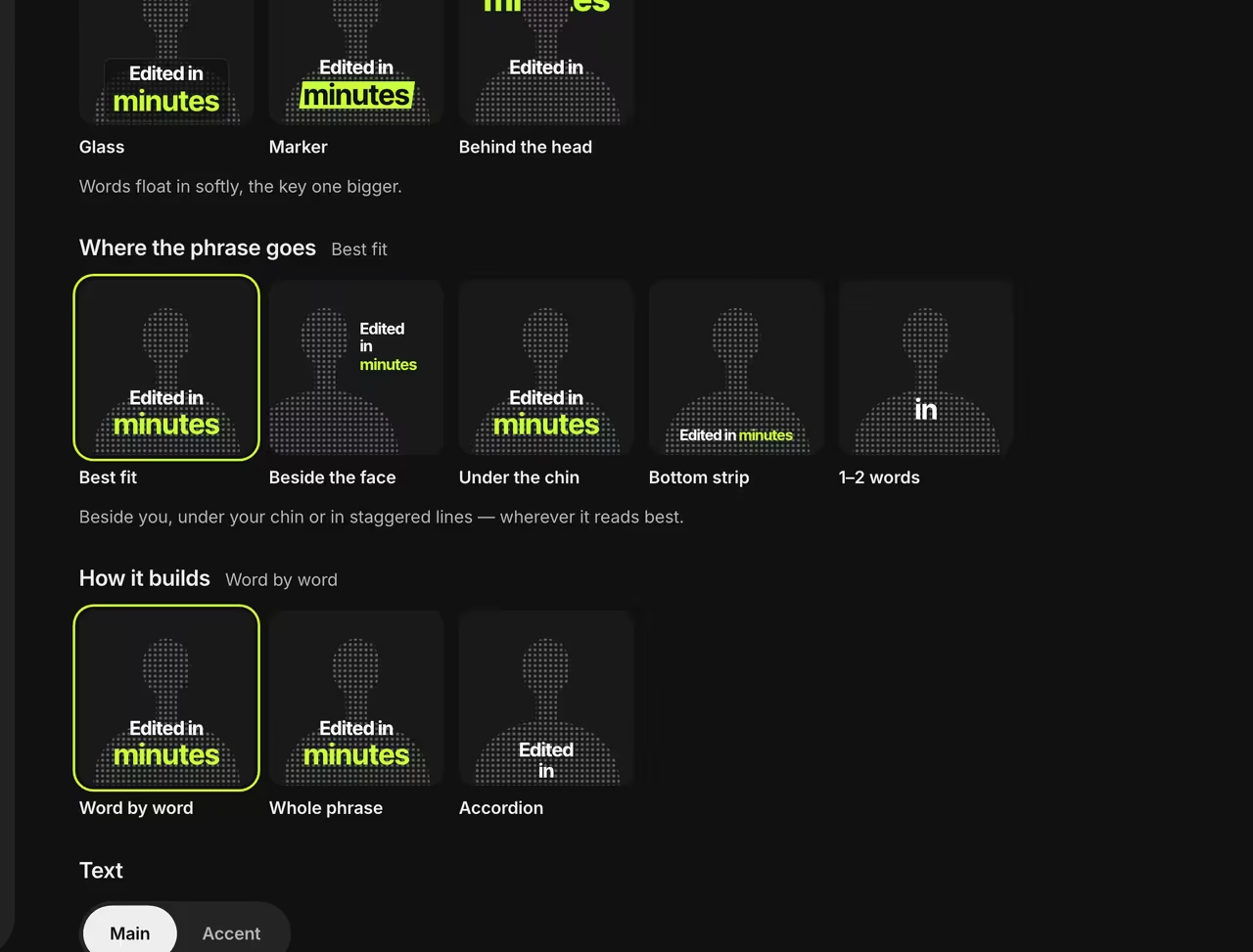
Placement, build and text Choose the font and color
Style regular words and the key word of each phrase separately: 16 fonts, 11 colors or any hex code.
Set the language
The spoken language is required. Captions can stay in the spoken language or switch to another of the 51. We translate by context, not word for word.


The same frame with and without captions
In the Slam look, the key word appears large and the rest pop in one at a time, in sync with the speech.


FAQ
Can I get captions in another language?
Yes. Pick a caption language, and we’ll translate the meaning of what you say and time the words to each phrase.
How do I fix a word?
Turn on “Check the video before editing” to see the transcript line by line and fix any word before the video is made. Once it’s ready, use a revision to fix anything else.
My video is already edited — will you cut it?
No. Mark it as “Already edited” and we’ll only add captions.
Which languages do you support?
We transcribe 51 languages in Latin, Cyrillic and Greek scripts: English, Spanish, Portuguese, German, Turkish, Russian, Uzbek and more.
Sources
- 1.Video Captions Benefit EveryoneM. A. Gernsbacher, Policy Insights from the Behavioral and Brain Sciences, 2015
- 2.Capture Attention with Updated Features for Video AdsFacebook for Business, 2016